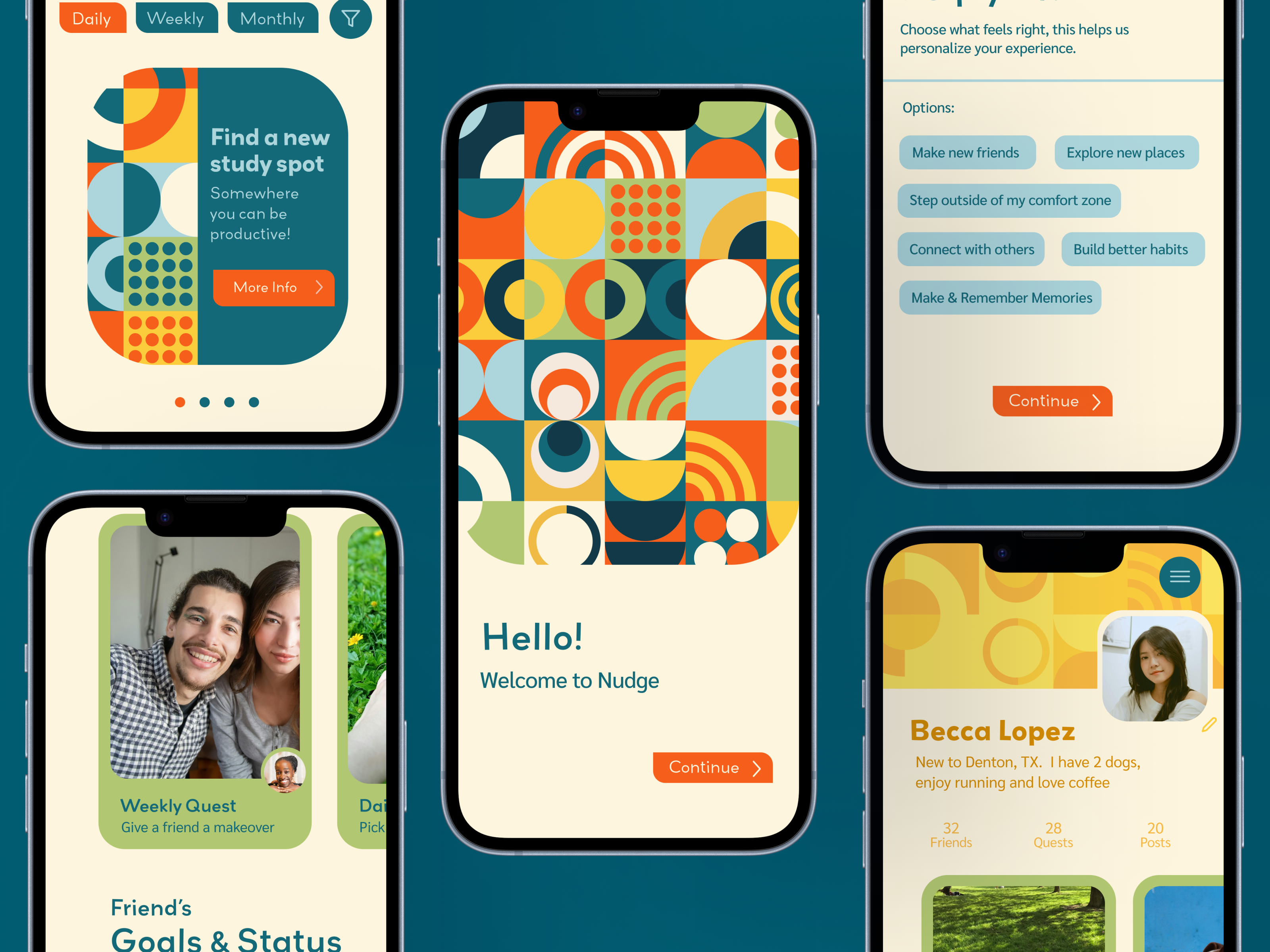
HOW WE FEEL
APP EXTENSION | UX/UI DESIGN
How We Feel helps users track and understand their emotions. This extension offers optional support when logging unpleasant feelings—like stress—by providing tailored grounding exercises and meditations. Rather than trying to “fix” how you feel, it provides a gentle, supportive next step wrapped in the app’s friendly visual style.
PROJECT DETAILS
CILENT | How We Feel
ROLE | UX/ UI Designer, Interaction Designer, Illustrator, Visual Designer
TOOLS | Figma
THE RESEARCH PROCESS
I studied How We Feel to identify how post-check-in support could fit naturally into the existing user flow. Researching short meditations and grounding exercises helped me design optional resources that align with the app’s calm, non-judgmental tone.
By deconstructing the existing UI such as analyzing cards, navigation, and input fields, I mapped out design patterns to ensure the extension felt like a seamless continuation of the app.

SKETCHES
While I usually design digitally, paper sketching was essential for mapping out this feature's UX logic. Thumbnail iterations helped me structure flexible pathway, giving stressed users options between videos or step-by-step body scans, followed by reflection prompts.
Sketching also allowed me to quickly position custom mascot illustrations across screens, saving valuable time and creating the direct blueprint for my final digital layouts.

ILLUSTRATIONS
To make the extension feel like a warm companion, I expanded the app’s geometric emotion shapes into full character mascots using simple line-art limbs and expressive faces.
Each mascot honors How We Feel’s color quadrants: Red (high energy, unpleasant), Yellow (high energy, pleasant), Blue(low energy, unpleasant), and Green (low energy, pleasant). Posing them in action, meditating, writing in a notepad, or interacting with scanning brackets, creates a gentler, more encouraging user experience.
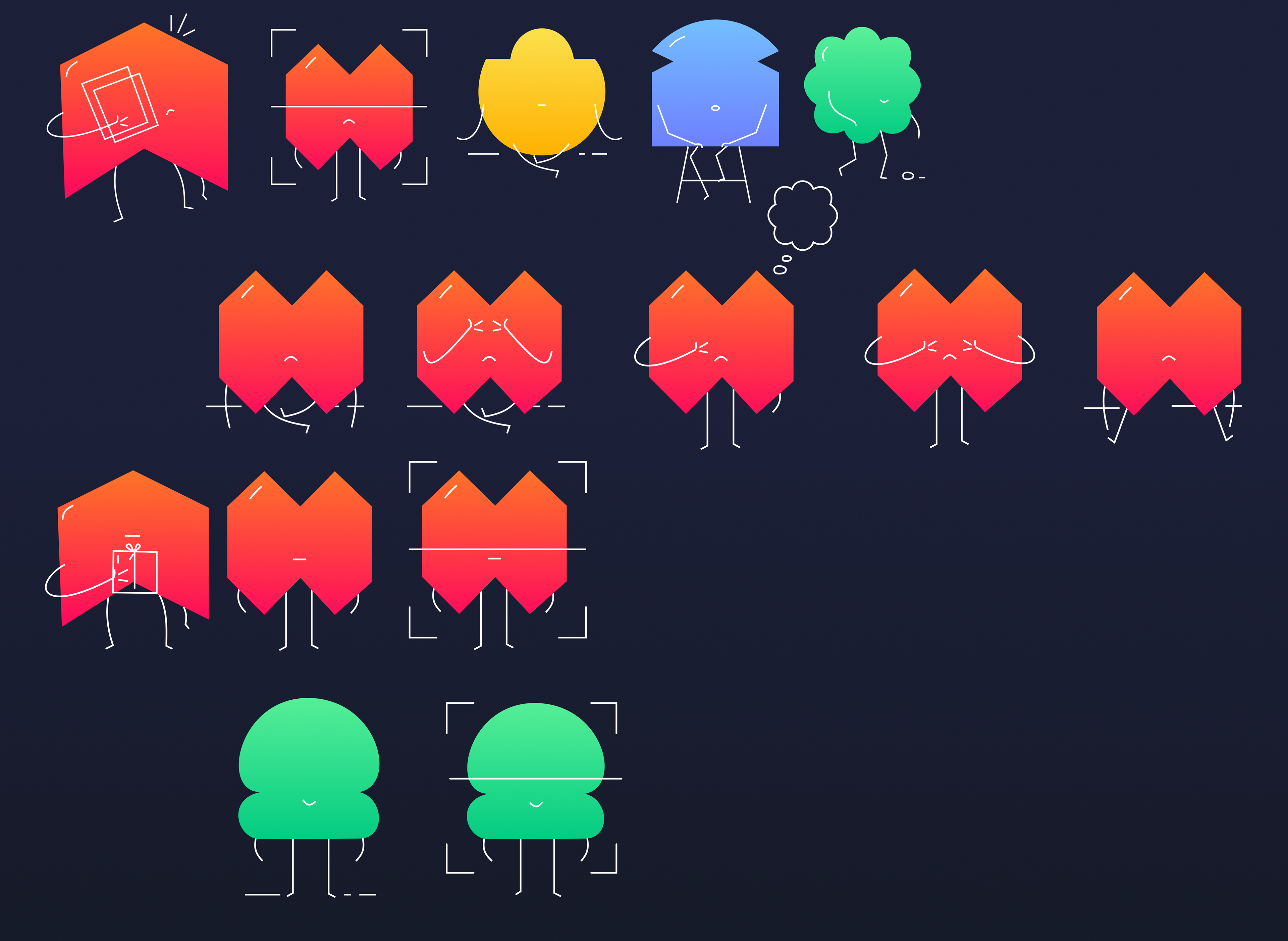
ELEMENT COLLAGE
I kept the existing typeface, color palette, illustrations, rounded buttons, and simple icons to make the extension feel like a natural part of How We Feel. These familiar elements create consistency while allowing new components to support the meditation and grounding features.

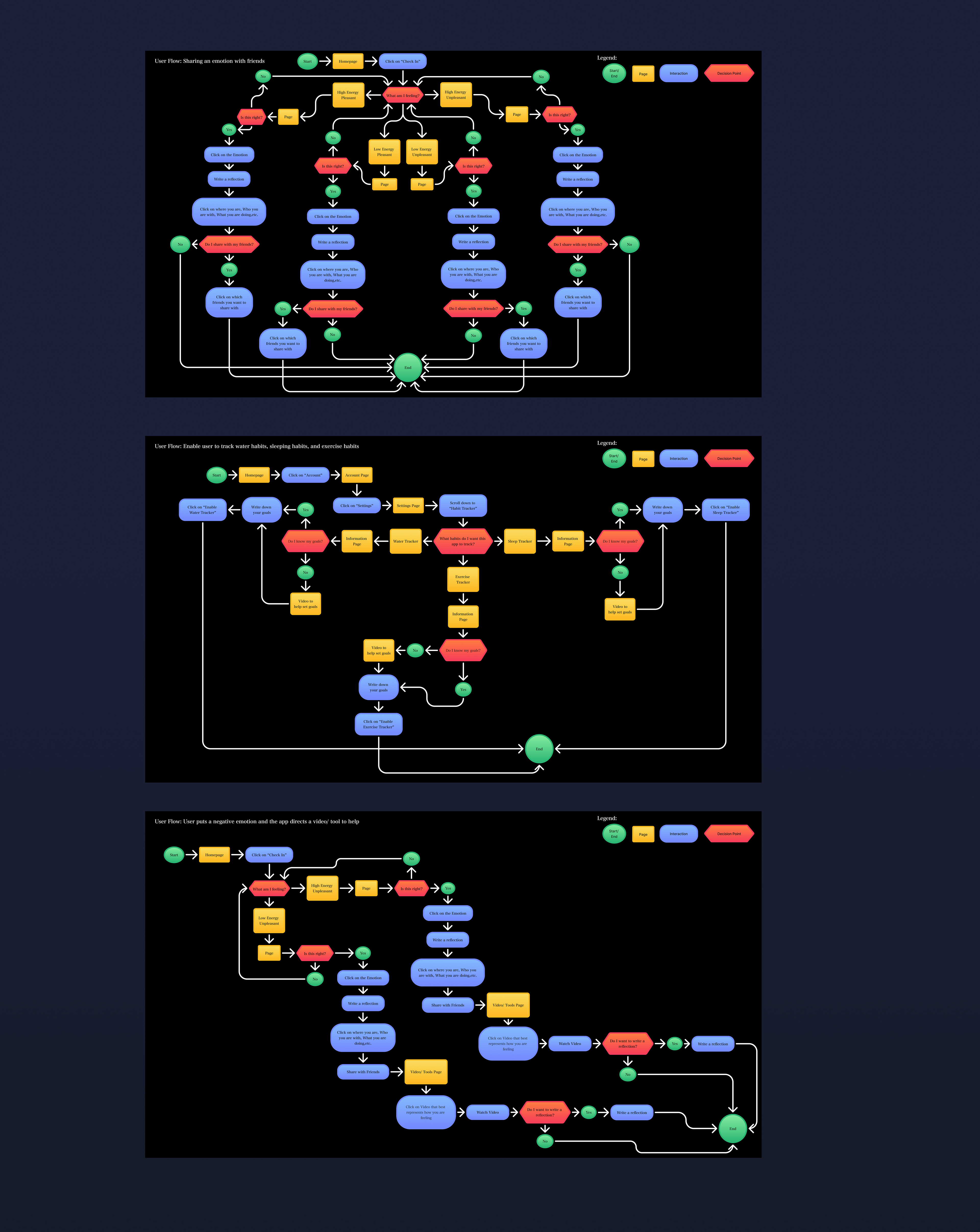
USER FLOWS
For my research, I wanted to maintain the same overall look and feel as the original How We Feel app. I kept the same typeface and color palette to make the interface feel like a natural extension rather than a separate design. I also carried over the app’s soft, friendly visual language through rounded buttons, simple icons, and illustrations. These elements helped create a familiar experience while introducing new components for meditation and emotional support.
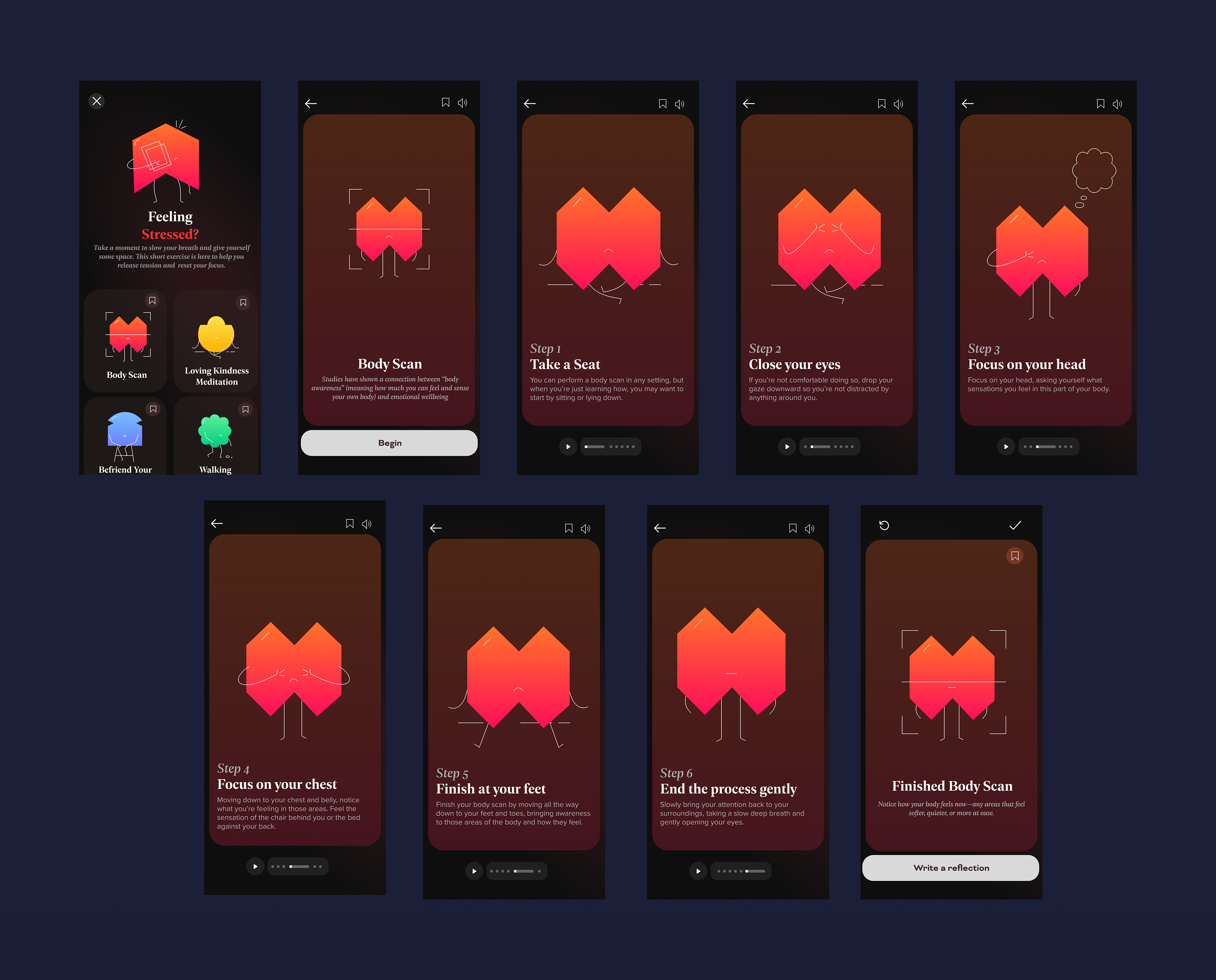
FINAL FLATS
The final screens bring the full user journey to life on a dark, calm-focused UI with warm ambient gradients. Logging high-energy stress surfaces tailored tool cards, like Body Scan and Loving Kindness Meditation, each marked with its quadrant mascot.
The Body Scan experience uses a step-by-step carousel where the mascot visually guides users through each stage, from sitting down to scanning head-to-toe. Bottom-anchored audio controls and a direct CTA for journal reflections ensure a smooth, supportive flow.
REFLECTION
Working within an existing app challenged me to extend the experience without disrupting its established visual language. The final design keeps the familiar feel of How We Feel while giving users a supportive next step after checking in with a difficult emotion.